Video editing is a skill that can take years to master, especially if you want to create professional-looking videos with complex effects and transitions. However, thanks to the advancement of artificial intelligence (AI), video editing has become much easier and faster than ever before. AI video editors are online tools that use machine learning and natural language processing to help you create and edit videos with simple text commands or prompts. You can use AI video editors to add fun and creative effects to your videos, such as animations, voiceovers, subtitles, music, and more. In this article, we will show you how to use some of the best AI video editors available online, and what kind of effects you can achieve with them.
Kapwing AI Video Editor
Kapwing is a popular online video editor that offers a variety of AI-powered tools and features. You can use Kapwing to:
- Generate videos from text prompts using the AI Video Generator. Just enter a topic, and Kapwing will create a summary video with images, voiceover, and music.
- Edit videos by editing text using the Text-Based Video Editor. Just upload a video, and Kapwing will generate a transcript that you can edit to remove unwanted parts or add highlights.
- Create images from text prompts using the AI Image Generator. Just enter a description, and Kapwing will use OpenAI’s DallE to generate an original image that you can use in your video.
- Add smart B-roll footage to your video using the AI B-Roll Generator. Just upload a video, and Kapwing will scan it and suggest relevant B-roll clips that you can add to enhance your video.
- Turn any article into a video using the AI Article to Video Generator. Just paste a URL, and Kapwing will summarize the article and create a video with voiceover, images, and music.
- Generate video scripts using the AI Video Script Generator. Just enter a topic, and Kapwing will use ChatGPT technology to generate ideas for social media videos that you can record or generate.
- Edit photos using the AI Photo Editor. Just upload a photo, and Kapwing will offer you various photo editing tools powered by AI, such as background removal, face swap, color correction, and more.
- Generate memes using the AI Meme Generator. Just enter a topic, and Kapwing will generate funny memes using popular templates that you can customize and share.
- Turn any document into a video using the Document to Video tool. Just upload a file, such as a script, essay, or report, and Kapwing will create a video summary with voiceover, images, and music.
To use Kapwing AI Video Editor, you need to sign up for a free account and choose the tool that you want to use. Then, you can follow the instructions on the screen to create or edit your video. You can also watch tutorials and read guides on how to use Kapwing on their website.
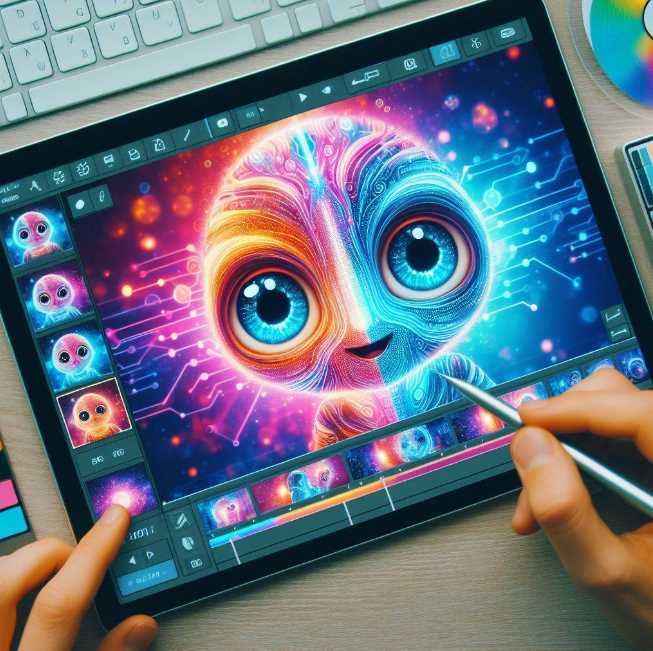
Invideo AI Video Editor
Invideo is another online video editor that uses AI to help you create and edit videos with ease. You can use Invideo to:
- Create videos from text prompts using the AI Video Generator. Just enter a topic, and Invideo will generate a script, create scenes, and add voiceovers for your video.
- Edit videos faster and better using the AI Video Editor. Just upload a video, and Invideo will offer you various editing options that you can control with simple text commands, such as deleting scenes, muting voiceover, changing voiceover, and more.
- Create videos from articles using the AI Article to Video Generator. Just paste a URL, and Invideo will convert the article into a video with voiceover, images, and music.
- Generate images from text prompts using the AI Image Generator. Just enter a description, and Invideo will use OpenAI’s DallE to generate an original image that you can use in your video.
- Generate voiceovers using the AI Voiceover Generator. Just enter a text, and Invideo will create a human-sounding voiceover in a wide range of languages and accents.
- Generate video scripts using the AI Video Script Generator. Just enter a topic, and Invideo will use ChatGPT technology to generate ideas for social media videos that you can record or generate.
To use Invideo AI Video Editor, you need to sign up for a free account and choose the tool that you want to use. Then, you can follow the instructions on the screen to create or edit your video. You can also watch tutorials and read guides on how to use Invideo on their website.
Veed AI Video Editor
Veed is an online video editor that also offers some AI-powered tools and features. You can use Veed to:
- Create videos from text prompts using the AI Video Generator. Just enter a topic, and Veed will create a video with images, voiceover, and music.
- Edit videos by editing text using the AI Video Editor. Just upload a video, and Veed will generate a transcript that you can edit to remove unwanted parts or add highlights.
- Generate voiceovers using the AI Voiceover Generator. Just enter a text, and Veed will create a human-sounding voiceover in a wide range of languages and accents.
- Add subtitles to your video using the AI Subtitle Generator. Just upload a video, and Veed will automatically transcribe and translate it into any language.
- Add text to speech to your video using the AI Text to Speech tool. Just enter a text, and Veed will add a voiceover to your video.
- Remove background from your video using the AI Background Remover. Just upload a video, and Veed will automatically remove the background or replace it with a new one.
To use Veed AI Video Editor, you need to sign up for a free account and choose the tool that you want to use. Then, you can follow the instructions on the screen to create or edit your video. You can also watch tutorials and read guides on how to use Veed on their website.
Vidio AI Video Editor
Vidio is an online video editor that uses AI to help you create professional videos in minutes. You can use Vidio to:
- Create videos from text prompts using the AI Video Generator. Just enter a topic, and Vidio will create a video with images, voiceover, and music.
- Edit videos by editing text using the AI Video Editor. Just upload a video, and Vidio will generate a transcript that you can edit to remove unwanted parts or add highlights.
- Add subtitles to your video using the AI Subtitle Generator. Just upload a video, and Vidio will automatically transcribe and translate it into any language.
- Add music to your video using the AI Music Generator. Just upload a video, and Vidio will automatically add music that matches the mood and tone of your video.
- Add animations to your video using the AI Animation Generator. Just upload a video, and Vidio will automatically add animations that enhance your video.
To use Vidio AI Video Editor, you need to sign up for a free account and choose the tool that you want to use. Then, you can follow the instructions on the screen to create or edit your video. You can also watch tutorials and read guides on how to use Vidio on their website.
Conclusion
AI video editors are online tools that use machine learning and natural language processing to help you create and edit videos with simple text commands or prompts. You can use AI video editors to add fun and creative effects to your videos, such as animations, voiceovers, subtitles, music, and more. Some of the best AI video editors available online are Kapwing, Invideo, Veed, and Vidio. You can sign up for a free account and try them out to see what kind of effects you can achieve with them.
FAQs
- What are AI video editors?
- AI video editors are online tools that use machine learning and natural language processing to help you create and edit videos with simple text commands or prompts.
- What are the benefits of using AI video editors?
- AI video editors can help you save time, money, and effort in video editing. They can also help you create more engaging and creative videos with various effects and features.
- What are the drawbacks of using AI video editors?
- AI video editors may not be able to produce the same quality and accuracy as human video editors. They may also have limitations in terms of customization and control over the video output.
- How to use AI video editors?
- To use AI video editors, you need to sign up for a free account and choose the tool that you want to use. Then, you can follow the instructions on the screen to create or edit your video.
- What are some examples of AI video editors?
- Some examples of AI video editors are Kapwing, Invideo, Veed, and Vidio. They offer different AI-powered tools and features that you can use to create and edit videos.
- How to choose the best AI video editor for your needs?
- To choose the best AI video editor for your needs, you need to consider your video goals, budget, and preferences. You can also compare the features, pricing, and reviews of different AI video editors to see which one suits you best.
- How to add fun and creative effects to your videos using AI video editors?
- You can add fun and creative effects to your videos using AI video editors by using their tools and features, such as AI Video Generator, AI Image Generator, AI Voiceover Generator, AI Subtitle Generator, AI Music Generator, AI Animation Generator, and more.
- You can add fun and creative effects to your videos using AI video editors by using their tools and features, such as AI Video Generator, AI Image Generator, AI Voiceover Generator, AI Subtitle Generator, AI Music Generator, AI Animation Generator, and more.