Have you ever wondered how to turn your photos into stunning artworks? Do you want to create unique and personalized art pieces without any artistic skills or experience? If so, you might be interested in using AI art generators, which are online tools that use artificial intelligence to transform your images into various art styles.
AI art generators are becoming more popular and accessible, thanks to the advances in deep learning and computer vision. These tools can produce amazing results in seconds, allowing you to unleash your creativity and express yourself in new ways. Whether you want to make a portrait, a landscape, a collage, or anything else, you can find an AI art generator that suits your needs and preferences.
In this blog post, we will show you how to use AI art generators to turn your photos into artworks. We will also answer some frequently asked questions about these tools and provide some tips and tricks to get the best results.
What are AI art generators and how do they work?
AI art generators are online tools that use artificial intelligence to transform your photos into artworks. They use different algorithms and techniques to analyze your images and generate new ones based on your input and settings.
Some of the most common techniques used by AI art generators are:
- Neural style transfer: This technique uses a neural network to apply the style of one image (such as a painting) to another image (such as a photo). The neural network learns the features and patterns of the style image and transfers them to the content image, while preserving the original structure and details. For example, you can use this technique to make your photo look like a Van Gogh painting or a Picasso sketch.
- Generative adversarial networks (GANs): This technique uses two neural networks that compete with each other: a generator and a discriminator. The generator tries to create realistic images from random noise or text, while the discriminator tries to distinguish between real and fake images. The generator learns from the feedback of the discriminator and improves its output over time. For example, you can use this technique to create realistic portraits of people or animals that do not exist, or to generate images from text descriptions.
- Image-to-image translation: This technique uses a neural network to translate an image from one domain to another, such as from day to night, from summer to winter, from sketch to color, or from photo to cartoon. The neural network learns the mapping between the two domains and generates realistic and consistent images. For example, you can use this technique to change the season or the time of day of your photo, or to turn your photo into a comic or an anime.
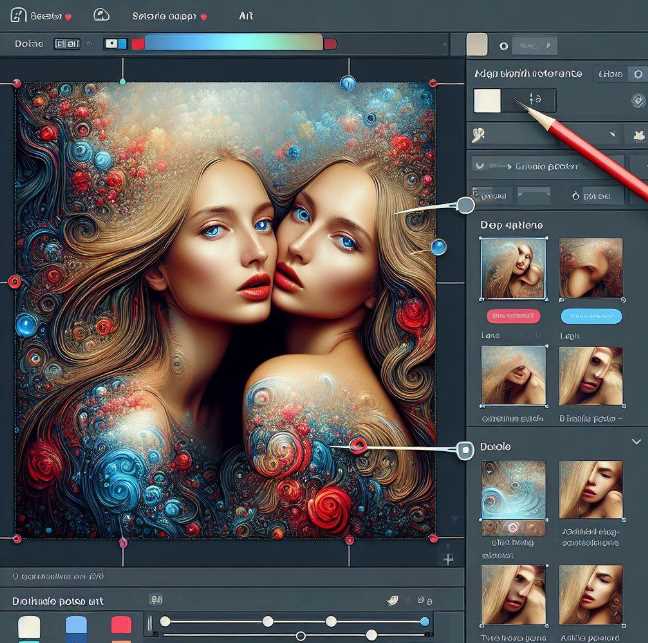
How to use AI art generators to turn your photos into artworks?
Using AI art generators to turn your photos into artworks is very easy and fun. You just need to follow these simple steps:
- Choose an AI art generator that matches your desired style and effect. There are many AI art generators available online, each with different features and options. You can browse through some of the most popular ones, such as Free AI Art Generator, AI Art Generator, Free AI Art Generator Online, or AI Art Generator, or search for more on the web.
- Upload your photo or choose one from the gallery. Most AI art generators allow you to upload your own photo or choose one from their gallery. You can also use the camera option to take a photo directly from the tool. Make sure your photo is clear, high-quality, and well-lit for the best results.
- Adjust the settings and parameters. Depending on the AI art generator you choose, you can adjust various settings and parameters to customize your output. For example, you can choose the style, the size, the resolution, the color palette, the contrast, the brightness, the saturation, the noise, the seed, and more. You can also enter text prompts to describe what you want to see or not see in your output, or use a seed image to guide the generation process.
- Generate your artwork and download or share it. Once you are happy with your settings and parameters, click the generate button and wait for a few seconds. The AI art generator will create your artwork and display it on the screen. You can then download it to your device or share it on social media platforms. You can also generate more artworks with different settings and parameters, or try a different AI art generator.
FAQs
Here are some frequently asked questions about AI art generators and their answers.
- Q: Are AI art generators free to use?
- A: Most AI art generators are free to use, but some may have limitations or require credits or subscriptions for premium features, such as higher resolution, faster speed, privacy, or commercial use. You can check the pricing and terms of service of each AI art generator before using it.
- Q: Can I use AI-generated artworks commercially?
- A: The answer to this question depends on the AI art generator you use and the license and usage rights of the original images and styles. Some AI art generators may allow you to use their outputs commercially, while others may not. You should always read the terms of service and the license agreement of each AI art generator and the original images and styles before using them commercially. You should also respect the intellectual property and the moral rights of the original creators and owners.
- Q: How can I improve the quality and the realism of my AI-generated artworks?
- A: There are several factors that can affect the quality and the realism of your AI-generated artworks, such as the AI art generator you use, the photo you upload, the settings and parameters you adjust, and the style you choose. Here are some tips and tricks to improve your results:
- Use a clear, high-quality, and well-lit photo as your input. Avoid blurry, noisy, or dark photos, as they may produce poor or distorted outputs.
- Choose a style that matches the content and the mood of your photo. Avoid styles that are too complex, too abstract, or too different from your photo, as they may produce unrealistic or inconsistent outputs.
- Adjust the settings and parameters carefully and experiment with different values. Avoid settings and parameters that are too extreme, too low, or too high, as they may produce artifacts, noise, or loss of details.
- Use text prompts or seed images to guide the generation process and specify what you want to see or not see in your output. Be clear, concise, and specific in your descriptions, and use positive and negative keywords to refine your results.
- Q: How can I use AI-generated artworks creatively?
- A: There are many ways you can use AI-generated artworks creatively, such as:
- Create personalized gifts, cards, posters, wallpapers, stickers, or t-shirts with your own photos and styles.
- Make collages, montages, or mosaics with multiple photos and styles.
- Enhance your photos with artistic effects, filters, or frames.
- Experiment with different styles and genres, such as impressionism, expressionism, surrealism, pop art, pixel art, or anime.
- Explore new forms and ideas, such as fantasy, sci-fi, horror, or humor.
- Combine text and images to create stories, comics, memes, or captions.
- Q: What are the limitations and challenges of AI art generators?
- A: AI art generators are amazing but not perfect. They have some limitations and challenges, such as:
- They may not always produce realistic, consistent, or accurate outputs, especially for complex or uncommon requests.
- They may not always preserve the original structure, details, or colors of the input images, especially for styles that are too different or too abstract.
- They may not always follow the instructions or the preferences of the users, especially for vague or ambiguous text prompts or seed images.
- They may not always respect the intellectual property and the moral rights of the original images and styles, especially for copyrighted or protected content.
- They may not always be ethical, responsible, or respectful, especially for sensitive or controversial topics or images.