AI voice generators are software tools that can convert any text into natural-sounding speech. They use artificial intelligence (AI) to synthesize human-like voices in various languages, accents, and styles. AI voice generators can be used for various purposes, such as creating voice overs, podcasts, videos, e-learning content, audiobooks, chatbots, and more.
But how do you choose the best AI voice generator for your needs? There are many factors to consider, such as the quality, variety, and customization of the voices, the ease of use, the pricing, and the features of the tool. In this blog post, we will help you find the best AI voice generator for your needs by comparing some of the most popular and reliable tools in the market.
Quality of the Voices
One of the most important factors to consider when choosing an AI voice generator is the quality of the voices. You want your voice overs to sound natural, clear, and expressive, not robotic, monotone, or choppy. The quality of the voices depends on the AI model that the tool uses, as well as the audio processing and enhancement techniques.
Some of the tools that offer high-quality voices are:
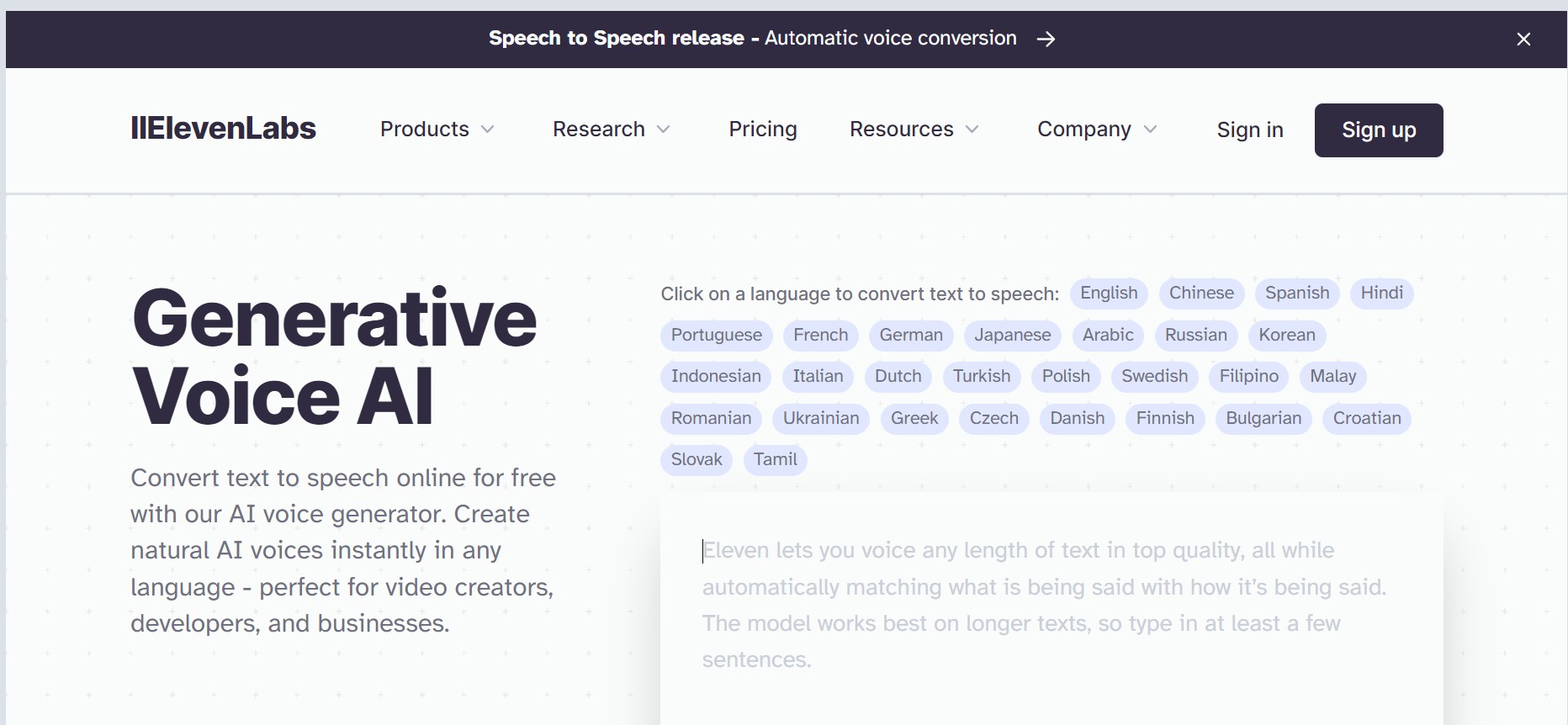
- ElevenLabs: This tool uses a generative voice AI model that renders human intonation and inflections with unrivaled fidelity, adjusting the delivery based on context. The voices sound natural and realistic, and can convey emotions and personalities. You can also create your own custom voices by cloning your voice or modifying existing voices.
- Speechify: This tool uses advanced AI technology to generate lifelike speech in any language and voice. The voices sound fluid and human-like, and can adapt to different scenarios and styles. You can also fine-tune the voice outputs by adjusting the pitch, tone, and speed.
- Murf: This tool uses a versatile platform that lets you create studio-quality voice overs with over 120+ text to speech voices in 20+ languages. The voices sound natural and crisp, and can express emotions and moods. You can also customize the voices by changing the volume, pitch, rate, and emphasis.
Variety of the Voices
Another factor to consider when choosing an AI voice generator is the variety of the voices. You want your voice overs to match your target audience, content, and brand. The variety of the voices depends on the number, language, accent, and style of the voices that the tool offers.
Some of the tools that offer a wide variety of voices are:
- ElevenLabs: This tool supports 29 languages and 120 voices, covering a diverse range of accents and dialects. You can also create your own unique voices by cloning your voice or modifying existing voices. You can choose from different voice styles, such as whispering, lively, calming, etc.
- Speechify: This tool supports over 200 voice actors in 30+ languages, covering a broad spectrum of accents and regions. You can also create your own synthetic voices by uploading your voice samples. You can choose from different voice styles, such as motivational, professional, casual, etc.
- Murf: This tool supports 20+ languages and 120+ voices, covering a wide range of accents and cultures. You can also create your own custom voices by uploading your voice samples. You can choose from different voice styles, such as friendly, authoritative, conversational, etc.
Customization of the Voices
Another factor to consider when choosing an AI voice generator is the customization of the voices. You want your voice overs to suit your specific needs and preferences. The customization of the voices depends on the level of control and flexibility that the tool gives you over the voice outputs.
Some of the tools that offer a high level of customization are:
- ElevenLabs: This tool lets you create your own custom voices by cloning your voice or modifying existing voices. You can also adjust the voice outputs by changing the pitch, tone, speed, volume, and pronunciation. You can also add pauses, emphasis, and SSML tags to enhance the delivery and expression of the voices.
- Speechify: This tool lets you create your own synthetic voices by uploading your voice samples. You can also fine-tune the voice outputs by adjusting the pitch, tone, speed, volume, and pronunciation. You can also add pauses, emphasis, and SSML tags to improve the quality and clarity of the voices.
- Murf: This tool lets you create your own custom voices by uploading your voice samples. You can also customize the voice outputs by changing the volume, pitch, rate, and emphasis. You can also add pauses, emphasis, and SSML tags to enrich the tone and emotion of the voices.
Ease of Use
Another factor to consider when choosing an AI voice generator is the ease of use. You want your voice overs to be easy and fast to create, without requiring any technical skills or complex steps. The ease of use depends on the user interface, the features, and the support of the tool.
Some of the tools that offer a high level of ease of use are:
- ElevenLabs: This tool has a simple and intuitive interface that lets you create natural AI voices instantly in any language. You just need to type or paste your text, select a voice, and generate your voice over. You can also preview, edit, and download your voice overs in various formats. The tool also has a video library and a help center to guide you through the process.
- Speechify: This tool has a user-friendly and powerful interface that lets you easily create lifelike voice overs from any text. You just need to type or paste your text, select a voice, and generate your voice over. You can also import scripts, add music, and export your voice overs in multiple formats. The tool also has a video library and a support team to help you with any issues.
- Murf: This tool has a versatile and easy-to-use interface that lets you create studio-quality voice overs with over 120+ text to speech voices in 20+ languages. You just need to type or paste your text, select a voice, and generate your voice over. You can also import scripts, add music, and export your voice overs in multiple formats. The tool also has a video library and a chatbot to assist you with any questions.
Pricing
Another factor to consider when choosing an AI voice generator is the pricing. You want your voice overs to be affordable and cost-effective, without compromising on the quality and features. The pricing depends on the plans, the features, and the usage of the tool.
Some of the tools that offer a reasonable pricing are:
- ElevenLabs: This tool offers a free plan that lets you generate up to 10 minutes of voice overs per month, with access to 29 languages and 120 voices. You can also upgrade to a premium plan that starts from $9.99 per month, which gives you unlimited voice overs, custom voices, advanced controls, and priority support.
- Speechify: This tool offers a free plan that lets you generate up to 30 minutes of voice overs per month, with access to over 200 voice actors in 30+ languages. You can also upgrade to a pro plan that starts from $19 per month, which gives you unlimited voice overs, synthetic voices, granular controls, and premium support.
- Murf: This tool offers a free plan that lets you generate up to 60 minutes of voice overs per month, with access to 20+ languages and 120+ voices. You can also upgrade to a paid plan that starts from $29 per month, which gives you unlimited voice overs, custom voices, advanced controls, and priority support.
Features
Another factor to consider when choosing an AI voice generator is the features. You want your voice overs to have the best possible quality and functionality, without any limitations or drawbacks. The features depend on the capabilities, the integrations, and the updates of the tool.
Some of the tools that offer a rich set of features are:
- ElevenLabs: This tool has a generative voice AI model that renders human intonation and inflections with unrivaled fidelity, adjusting the delivery based on context. It also has a voice cloning feature that lets you create your own custom voices by cloning your voice or modifying existing voices. It also has a voice library that lets you explore and find new synthetic voices. It also has a web app, a desktop app, and a browser extension that let you generate voice overs from any device and any platform. It also has regular updates and improvements that keep the tool up to date and secure.
- Speechify: This tool has an advanced AI technology that generates lifelike speech in any language and voice. It also has a synthetic voice feature that lets you create your own synthetic voices by uploading your voice samples. It also has a voice library that lets you browse and select from over 200 voice actors in 30+ languages. It also has a web app, a desktop app, a mobile app, and a browser extension that let you generate voice overs from any device and any platform. It also has regular updates and enhancements that keep the tool up to date and secure.
Murf: This tool has a versatile platform that lets you create studio-quality voice overs with over 120+ text to speech voices in 20+ languages. It also has a custom voice feature that lets you create your own custom voices by uploading your voice samples. It also has a voice library that lets you discover and choose from over 120+ text to speech voices in 20+ languages. It also has a web app, a desktop app, and a browser extension that let you generate voice overs from any device and any platform. It also has regular updates and innovations that keep the tool up to date and secure.
Conclusion
AI voice generators are powerful and useful tools that can help you create natural and engaging voice overs for your content. However, not all AI voice generators are created equal. You need to consider various factors, such as the quality, variety, and customization of the voices, the ease of use, the pricing, and the features of the tool, to find the best AI voice generator for your needs.
We hope that this blog post has helped you compare some of the most popular and reliable AI voice generators in the market, and make an informed decision. If you have any questions or feedback, please feel free to contact us or leave a comment below.
FAQs
Here are some frequently asked questions about AI voice generators:
Q: What is an AI voice generator?
A: An AI voice generator is a software tool that can convert any text into natural-sounding speech. It uses artificial intelligence (AI) to synthesize human-like voices in various languages, accents, and styles.
Q: Why use an AI voice generator?
A: An AI voice generator can help you create voice overs for various purposes, such as creating voice overs, podcasts, videos, e-learning content, audiobooks, chatbots, and more. It can save you time, money, and effort, as well as enhance the quality and appeal of your content.
Q: How does an AI voice generator work?
A: An AI voice generator works by using a deep learning model that learns from a large amount of speech data, and generates new speech samples based on the input text. The model can mimic the characteristics and nuances of human speech, such as intonation, inflection, emotion, and personality.
Q: How to use an AI voice generator?
A: To use an AI voice generator, you just need to type or paste your text, select a voice, and generate your voice over. You can also import scripts, add music, and export your voice overs in various formats. You can also customize and fine-tune your voice overs by adjusting the pitch, tone, speed, volume, and pronunciation, as well as adding pauses, emphasis, and SSML tags.
Q: How to choose the best AI voice generator?
A: To choose the best AI voice generator, you need to consider various factors, such as the quality, variety, and customization of the voices, the ease of use, the pricing, and the features of the tool. You can also compare some of the most popular and reliable tools in the market, such as ElevenLabs, Speechify, and Murf, and see which one suits your needs and preferences the best.
Q: How much does an AI voice generator cost?
A: The cost of an AI voice generator depends on the plan, the features, and the usage of the tool. Some tools offer a free plan that lets you generate a limited amount of voice overs per month, with access to a limited number of voices and languages. Some tools offer a premium plan that starts from $9.99 per month, which gives you unlimited voice overs, custom voices, advanced controls, and priority support.
Q: How to create a custom voice with an AI voice generator?
A: To create a custom voice with an AI voice generator, you need to upload your voice samples or clone your voice or modify existing voices. Some tools, such as ElevenLabs, Speechify, and Murf, offer a voice cloning feature that lets you create your own unique voices by uploading your voice samples. You can also adjust the voice outputs by changing the pitch, tone, speed, volume, and pronunciation.
Q: What are the benefits of using an AI voice generator?
A: The benefits of using an AI voice generator are:
You can create natural and engaging voice overs for your content, without requiring any human voice actors or recording equipment.
- You can save time, money, and effort, as well as avoid the hassle and delay of hiring and managing voice actors.
- You can reach a wider and more diverse audience, by creating voice overs in various languages, accents, and styles.
- You can enhance the quality and appeal of your content, by adding emotions and personalities to your voice overs.
- You can have full control and flexibility over your voice overs, by customizing and fine-tuning them according to your needs and preferences.
Q: What are the challenges of using an AI voice generator?
A: The challenges of using an AI voice generator are:
- You may encounter some issues with the quality, variety, and customization of the voices, depending on the tool and the AI model that you use.
- You may face some limitations and restrictions with the ease of use, the pricing, and the features of the tool, depending on the plan and the usage that you choose.
- You may have some ethical and legal concerns with the use and misuse of synthetic voices, especially when it comes to voice cloning and impersonation.
Q: What are the best practices of using an AI voice generator?
A: The best practices of using an AI voice generator are:
- Choose a high-quality and reliable tool that offers natural and realistic voices, a wide variety of voices, a high level of customization, a user-friendly interface, a reasonable pricing, and a rich set of features.
- Choose a suitable voice that matches your target audience, content, and brand, and test and preview your voice overs before finalizing them.
- Customize and fine-tune your voice overs by adjusting the pitch, tone, speed, volume, and pronunciation, as well as adding pauses, emphasis, and SSML tags, to enhance the delivery and expression of your voice overs.
- Use your voice overs for legitimate and ethical purposes, and respect the rights and privacy of the voice actors and the voice owners.